How to make a YouTube thumbnail from text (1280 × 720)
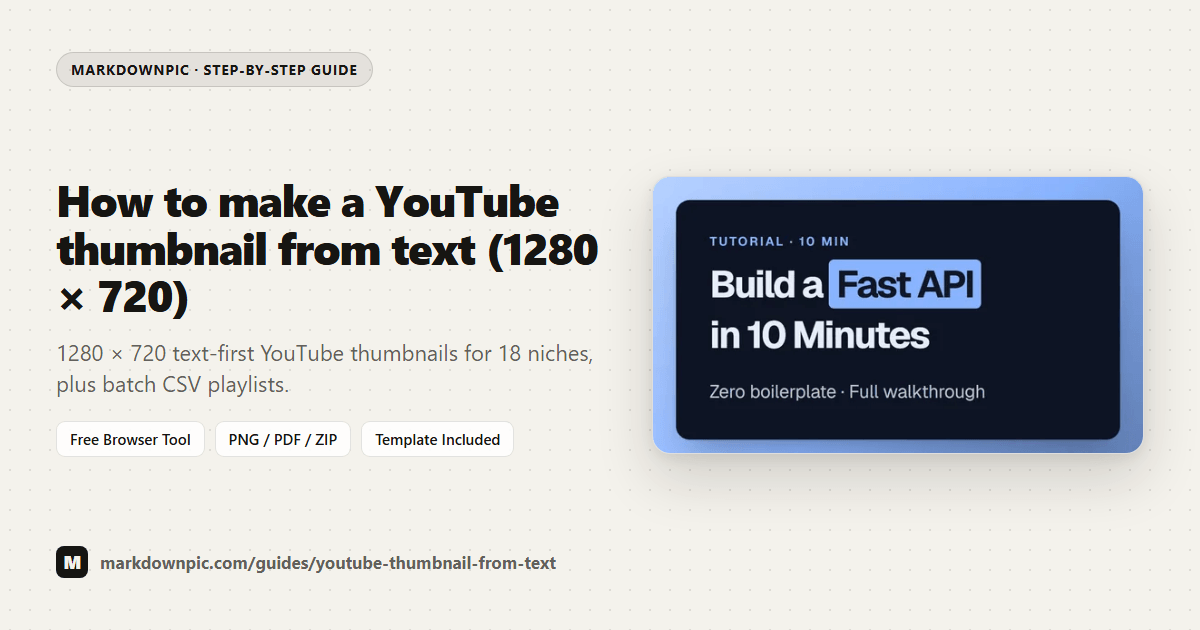
Quick answer: To make a crisp 1280 × 720 YouTube thumbnail in MarkdownPic, open the YouTube Thumbnail Maker (or choose Card › Wide 16:9), write a 3–6 word headline with # and highlight the hook phrase with ==word==, pick a high-contrast theme, and export at 2× PNG or JPEG (typically 60–180 KB, safely under YouTube’s 2 MB limit).
Official YouTube thumbnail specifications
- Recommended resolution: 1280 × 720 pixels (16:9 aspect ratio) — exact output of Wide 16:9 at 2×.
- Full HD video title cards: Switch to 3× in Export options for exact 1920 × 1080 pixels.
- File format & size: PNG or JPEG under 2 MB. PNG keeps headlines, code and equations razor-sharp with zero compression artifacts.
- Mobile preview test: YouTube shrinks thumbnails to roughly 168 × 94 pixels in mobile search and Up Next lists — stick to 3–6 bold words so every letter stays legible at arm’s length.
- Safe corner: Avoid placing key text in the bottom-right corner where YouTube overlays the video duration badge.
Copy-paste Markdown starter patterns
Use ### directly above # for a tracked kicker label, and wrap one hook phrase in ==highlight== so the eye lands on it first:
### Tutorial · 10 min
# Build a ==Fast API== in 10 Minutes
Zero boilerplate · Full walkthrough
For coding or math channels, fenced code blocks and KaTeX $$...$$ equations render natively inside the 16:9 canvas — no screenshot cropping required:
### Visual proof
# Why This Equation ==Works==

$$
e^{i\pi} + 1 = 0
$$
Choose the right template for your YouTube niche
Browse all 18 starting layouts in YouTube thumbnail templates, or match your channel style directly:
- Tech, AI & coding channels: Use YouTube thumbnail (Midnight gradient frame), YouTube AI workflow, or YouTube coding thumbnail (Terminal theme with a live syntax-highlighted snippet).
- Comparisons, lists & high-CTR hooks: Use YouTube comparison (
Tool A ==vs== Tool B), YouTube listicle cover (Citrus), YouTube mistakes hook (Blush), or YouTube breaking update (Swiss). - Finance, case studies & experiments: Use YouTube finance cover (Sage), YouTube big number (display numeral
# 10×), or YouTube before & after (Day 1 → Day 30). - Podcasts, essays & book summaries: Use YouTube podcast cover (Noir dark serif), YouTube video essay (Editorial), or YouTube book summary (Book).
- Education, math & course playlists: Use YouTube explainer (Harbor), YouTube math & science (KaTeX LaTeX equations rendered natively), YouTube course chapter, or YouTube live stream.
Batch thumbnails for an entire playlist or course
Creating a 15-lesson course or weekly podcast? Write one reusable layout with placeholders, then open ··· › Create a batch from a table and paste rows from Google Sheets or CSV to export up to 100 matching 1280 × 720 covers in one ZIP:
### {{module}} · Free course
# {{title}}
{{subtitle}}
In your spreadsheet, name the first row module, title, and subtitle; MarkdownPic fills each row into a separate numbered PNG and lets you preview every slide before exporting.
Frequently asked questions
What is the best size for a YouTube thumbnail?
1280 × 720 pixels (16:9) in PNG or JPEG under 2 MB. Wide 16:9 at 2× in MarkdownPic produces those exact dimensions automatically.
How many words should a text-first YouTube thumbnail have?
Aim for 3 to 6 bold words in the main headline so viewers can read it instantly on a phone screen. Use ==highlight== on one key phrase for visual contrast.
Can I put a code block, math equation or screenshot on my thumbnail?
Yes. Fenced code blocks, KaTeX $$...$$ equations and dragged-in local PNG/JPEG screenshots all render at full sharpness inside the 16:9 canvas.
Does MarkdownPic add a watermark to YouTube thumbnails?
No. Exports are completely clean and free, and you can optionally save your own channel name and avatar in Customize › My brand.
More guides
- Carousel maker: Instagram and LinkedIn PDF carousels from textPage breaks, Auto split, sizes for each platform, and ZIP or PDF export.
- Social media image sizes for text postsThe right canvas for each platform, with exact pixel sizes.
- OG image generator: make an Open Graph image from textA 1200 × 630 preview image for links you share.
- How to convert Markdown to an image (PNG, JPEG or WebP)The complete workflow: write, choose an output, export at the right resolution.