Free Mermaid Diagram to PNG Converter (2× & 3×)

MarkdownPicRestoring…
369 chars

Good ideas deserve a clear picture.

Turn notes, explanations, and useful discoveries into an image worth sharing.

Start with your words. The canvas takes care of the rest.

Make it yours

  1. Paste Markdown or open a file.
  2. Choose a size, a theme, and a typeface.
  3. Export a crisp PNG — ready to post.

Your work stays in this browser. No account needed.
Ready to export
Auto height · 1200 × 1240
100%

Free · 100% local · Dark & light Mermaid themes · Zero upload

Free Mermaid Diagram to PNG Converter (2× & 3×)

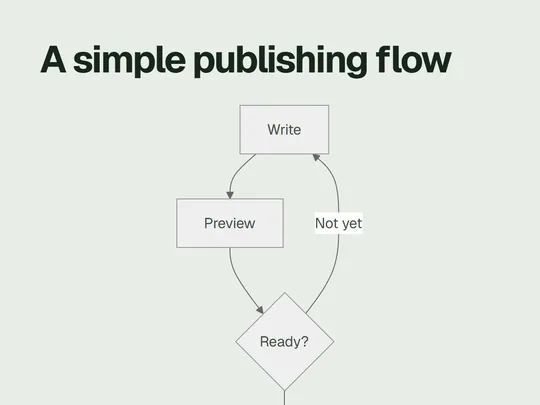
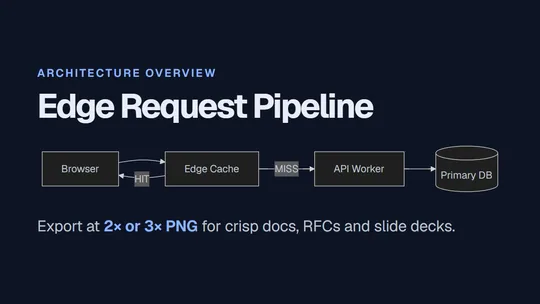
Turn Mermaid.js architecture diagrams, sequence diagrams, flowcharts, state machines and ER diagrams into crisp 2× or 3× PNG images for RFCs, pull requests, Notion docs, Slack threads and slide decks. Everything renders strictly inside your browser — safe for private system designs and internal infrastructure diagrams.

Start in the editor

Starter templates

Start from any technical diagram or documentation template below — click to open it in the editor with matching theme and typography.

How it works

  1. Paste your Mermaid block or architecture notes. Write a standard fenced ```mermaid block — flowcharts, sequence diagrams, state diagrams, class diagrams, ER diagrams or Gantt charts — alongside an optional title and summary.
  2. Choose a light or dark technical theme. Switch between Midnight, Terminal, Noir, Clean, Harbor or Swiss. Dark themes automatically switch Mermaid to its high-contrast dark palette.
  3. Export crisp 2× or 3× PNG — or copy straight to clipboard. Click Export PNG for lossless sharp lines and readable node labels, or press Ctrl/⌘ Shift Enter to paste directly into GitHub PRs, Linear, Jira or Slack.

Why use MarkdownPic

Frequently asked questions

Which Mermaid diagram types are supported?

Flowcharts, sequence diagrams, class diagrams, state diagrams, entity-relationship (ER) diagrams, Gantt charts, user journeys and mind maps all render directly in your browser.

Is it safe to render internal company architecture diagrams here?

Yes. MarkdownPic renders Mermaid 100% client-side in your browser with no account and no server-side text or diagram upload.

Why does PNG look sharper than JPEG for Mermaid diagrams?

PNG uses lossless compression, preserving razor-sharp 1-pixel connector lines, arrowheads and small node text without JPEG’s fuzzy edge artifacts. Export at 2× or 3× for retina screens.

Can I export a dark-mode Mermaid diagram for dark slides or GitHub dark theme?

Yes. Choose the Midnight, Terminal or Noir theme in Customize — Mermaid automatically switches to its dark theme to match.

Can I include a title or explanation around my Mermaid diagram?

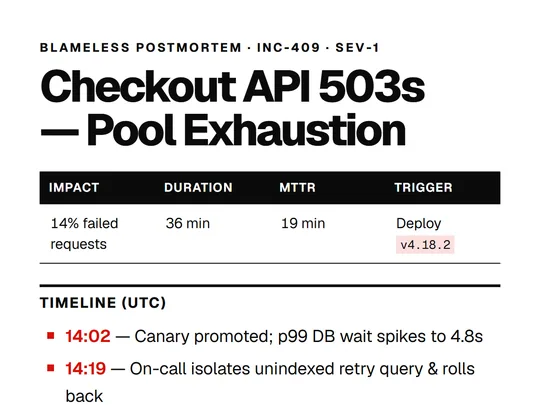
Yes. Because MarkdownPic renders full Markdown, you can place a heading above the diagram and key takeaways or a table below it in the same exported PNG.

Related guides, templates and tools