Free Code Snippet to Image Generator (With Context & Filename)

MarkdownPicRestoring…
369 chars

Good ideas deserve a clear picture.

Turn notes, explanations, and useful discoveries into an image worth sharing.

Start with your words. The canvas takes care of the rest.

Make it yours

  1. Paste Markdown or open a file.
  2. Choose a size, a theme, and a typeface.
  3. Export a crisp PNG — ready to post.

Your work stays in this browser. No account needed.
Ready to export
Auto height · 1200 × 1240
100%

Free · Filename header · Syntax highlighting · Terminal & Midnight themes

Free Code Snippet to Image Generator (With Context & Filename)

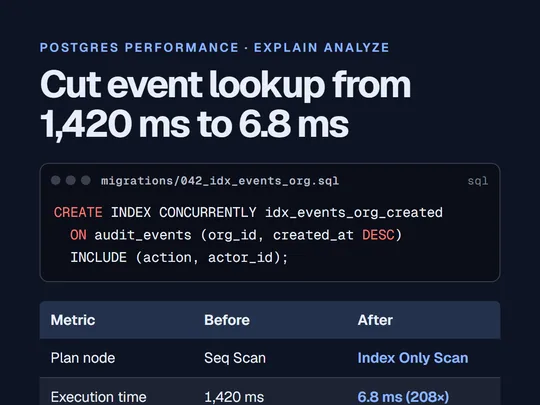
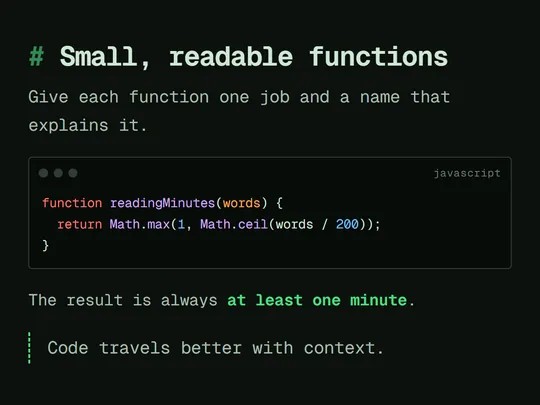
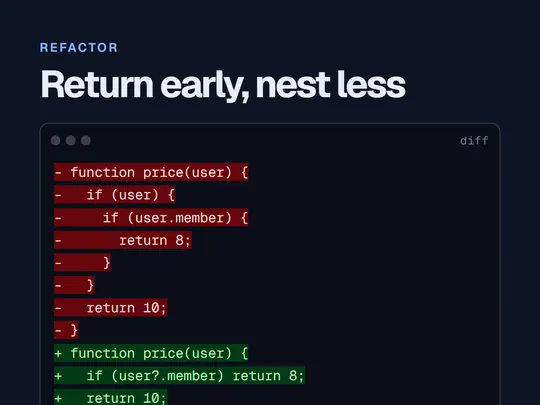
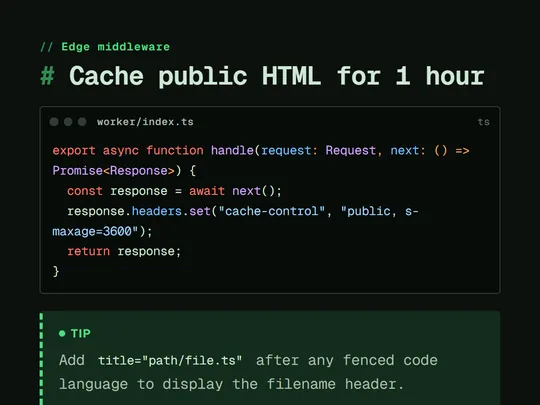
Go beyond bare code screenshots: combine syntax-highlighted code blocks, a clean filename header bar (```ts title="worker/index.ts"```), before-and-after diffs and concise Markdown explanations in one sharp 2× or 3× PNG. Ideal for developer blogs, changelogs, X/LinkedIn engineering posts and technical documentation.

Start in the editor

Starter templates

Open any developer template below to start with pre-tuned dark/light syntax themes and filename chrome.

How it works

  1. Paste your code inside a fenced block with language and optional filename. Write ```ts title="worker/index.ts" (or any language like python, sql, bash, rust, go, diff) to enable syntax highlighting and show the file path in the code bar.
  2. Add a headline, takeaway or callout. Give readers context above or below the snippet with headings, inline code or GitHub-style > [!TIP] callouts, and pick Terminal, Midnight or Noir.
  3. Export or copy a crisp 2×/3× PNG. Click Export PNG or press Ctrl/⌘ Shift Enter to copy the lossless retina image straight to your clipboard — zero watermark, no account.

Why use MarkdownPic

Frequently asked questions

How do I show a filename above my code block?

Add title="worker/index.ts" (or file="deploy.sh") right after the language name on the opening code fence, e.g. ```ts title="worker/index.ts".

Which programming languages have syntax highlighting?

All common languages are supported automatically, including TypeScript, JavaScript, Python, Go, Rust, Java, C/C++, C#, SQL, Bash, JSON, YAML, HTML, CSS, Markdown and diff.

Can I show a before-and-after code diff?

Yes. Use a ```diff fenced block with - and + lines to render clean red/green refactor comparisons alongside your explanation.

Is my proprietary code uploaded anywhere?

No. Syntax highlighting and PNG rendering execute 100% inside your own browser with zero network transmission of your code.

What resolution should I use for crisp monospace code?

Export PNG at 2× (default) for social posts and Slack, or 3× for high-DPI blog posts, slide decks and documentation.

Related guides, templates and tools