Free Markdown Table & Excel/Sheets to Image Converter

MarkdownPicRestoring…
369 chars

Good ideas deserve a clear picture.

Turn notes, explanations, and useful discoveries into an image worth sharing.

Start with your words. The canvas takes care of the rest.

Make it yours

  1. Paste Markdown or open a file.
  2. Choose a size, a theme, and a typeface.
  3. Export a crisp PNG — ready to post.

Your work stays in this browser. No account needed.
Ready to export
Auto height · 1200 × 1240
100%

Free · Paste from Excel / Sheets · Lossless PNG · Zero upload

Free Markdown Table & Excel/Sheets to Image Converter

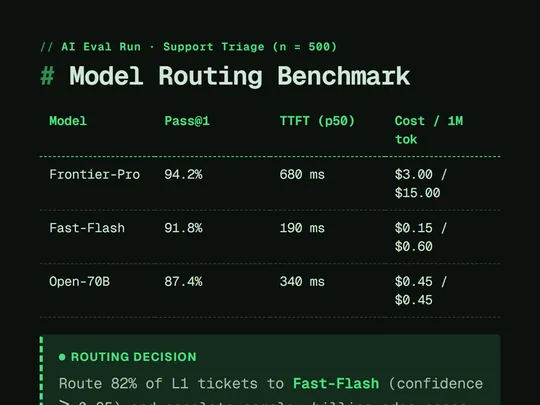
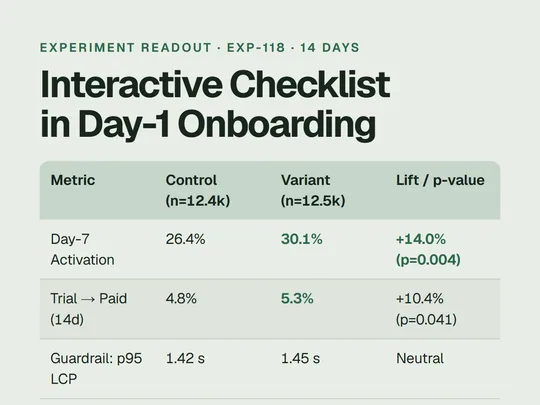
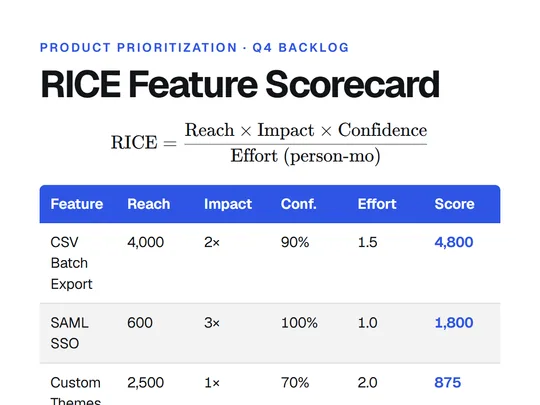
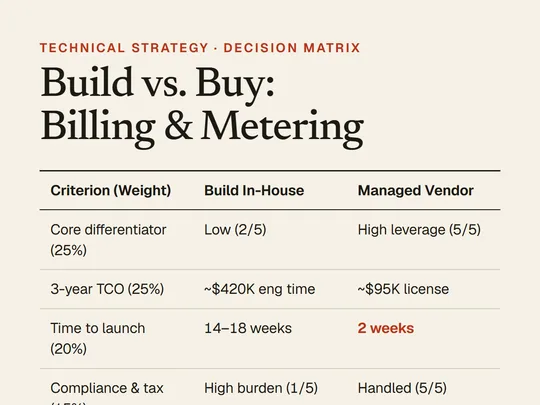
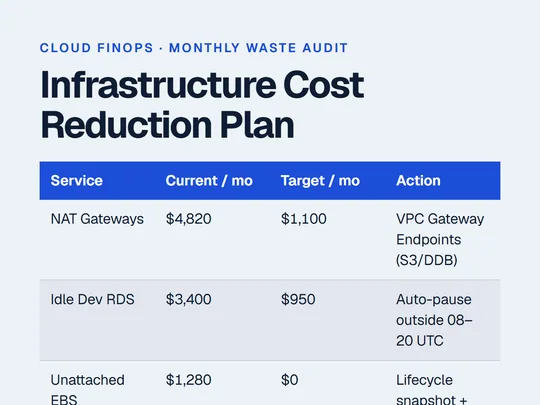
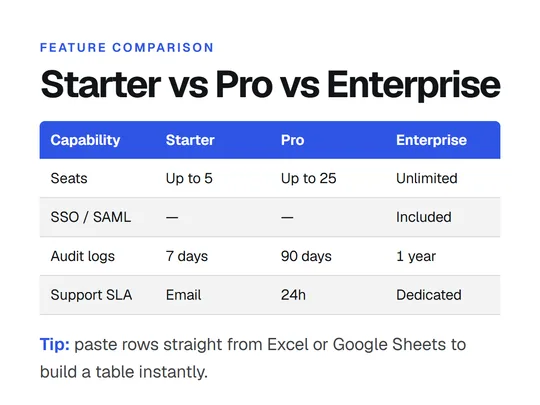
Turn GitHub-flavored Markdown tables — or cells copied directly from Excel, Google Sheets, Notion or a SQL client — into crisp, readable PNG images that never wrap or break in Slack, LinkedIn, X, newsletters or slide decks. Pasted spreadsheet rows automatically convert into clean Markdown pipe tables.

Start in the editor

Starter templates

Click any table or comparison template below to open it in the editor — or paste cells directly from Excel or Google Sheets.

How it works

  1. Paste from Excel/Google Sheets or write a Markdown table. Copy any range of cells from a spreadsheet and paste into the editor — MarkdownPic converts tab-separated rows into a clean GFM pipe table automatically.
  2. Pick a theme and canvas width. Choose Clean, Editorial, Harbor, Mono or Midnight. For wide multi-column tables, switch the canvas to Landscape (1200 × 630) or Wide 16:9.
  3. Export or copy a sharp 2×/3× PNG. Preflight checks for horizontal overflow before export so no column is ever silently clipped. Download PNG or copy straight to clipboard.

Why use MarkdownPic

Frequently asked questions

Can I paste a table directly from Excel or Google Sheets?

Yes. Copy cells in Excel, Google Sheets or Numbers and paste into the editor. MarkdownPic automatically converts both HTML tables and plain tab-separated (TSV) rows into a Markdown table.

What if my table has too many columns for a narrow card?

MarkdownPic’s export check warns you if a table overflows horizontally. Switch the canvas preset to Wide 16:9 or Landscape, shorten column headers, or lower the text size in Customize.

Should I export tables as PNG or JPEG?

Always export tables as PNG at 2× or 3×. Lossless PNG keeps grid borders, numbers and small header labels crisp without compression blur.

Are my financial numbers or internal KPI tables uploaded to a server?

No. Everything runs 100% locally in your browser with no account and no server-side processing.

Can I also turn a spreadsheet into multiple separate image cards?

Yes. Instead of one big table, open Batch (··· › Create a batch from a table) to generate up to 100 individual cards from spreadsheet rows in a single ZIP.

Related guides, templates and tools